Know Your Customers,Grow Your Marina
From first enquiry to loyal regular, manage every customer relationship in one place. Track interactions, build custom email and invoice templates, automate communications, collect feedback, and turn data into decisions.
The Complete Customer Journey
Moored turns every touchpoint into an opportunity to build a lasting relationship.
Seamless Booking
Online booking with instant confirmation gives every customer an easy first experience and starts your relationship with them.
During the Stay
QR code payments, service requests, and automated communications keep everything smooth.
Post-Visit Surveys
Automated feedback forms collect honest reviews whilst the experience is fresh.
Loyalty & Outreach
Reward points, personalised campaigns, and renewal offers turn visitors into regulars.
Marina CRM Software Built for the Water
Purpose-built for marinas, harbours, and waterside locations
Customer Database
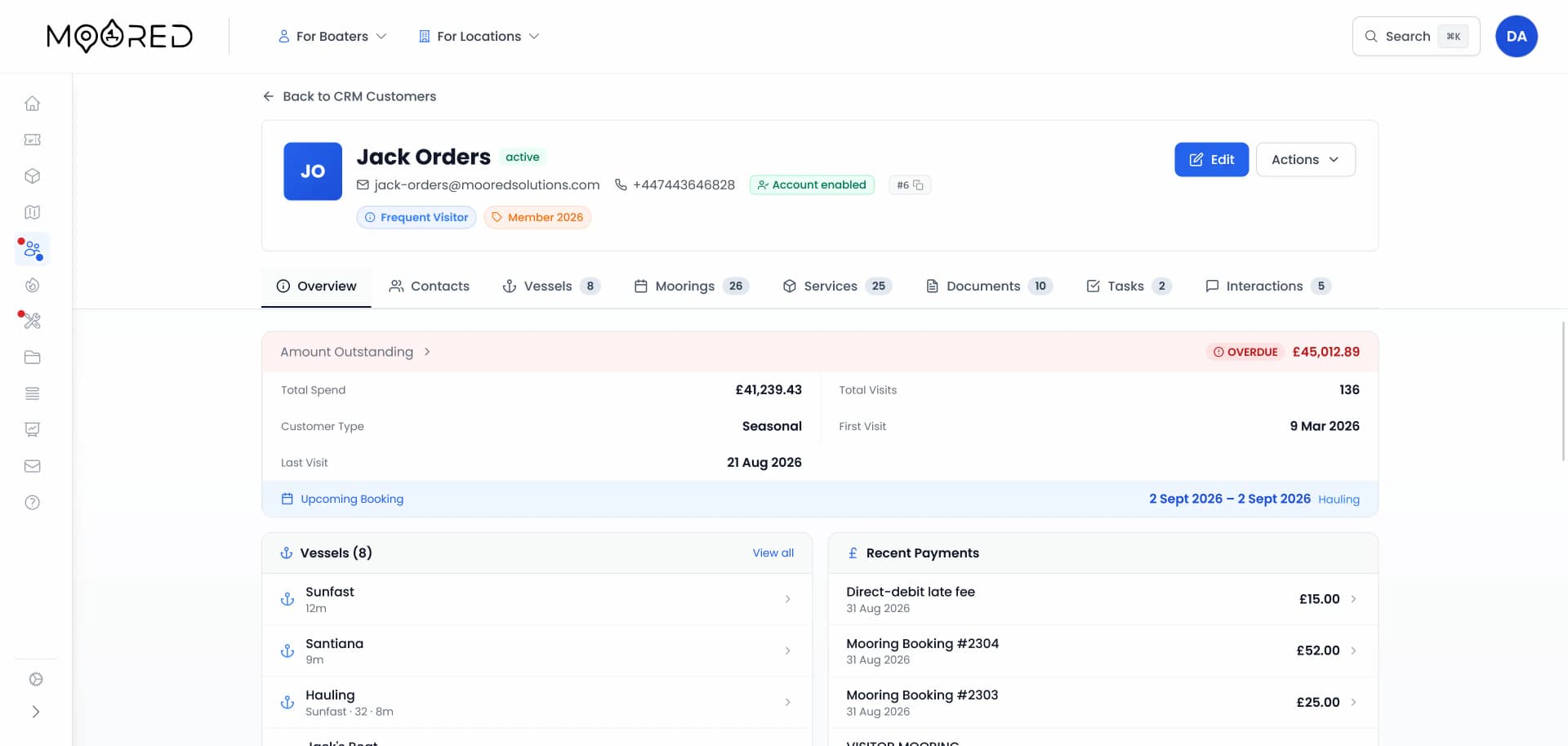
Every Customer, One Place
Moored gives you a centralised record for every person who has booked, visited, or enquired at your marina. Contact details, vessel information, booking history, feedback, communication logs, and documents: all accessible in a single, searchable view. Filter by spend, visit dates, tags, flags, and customer type. View as cards or a sortable table.
Email & Document Template Builder
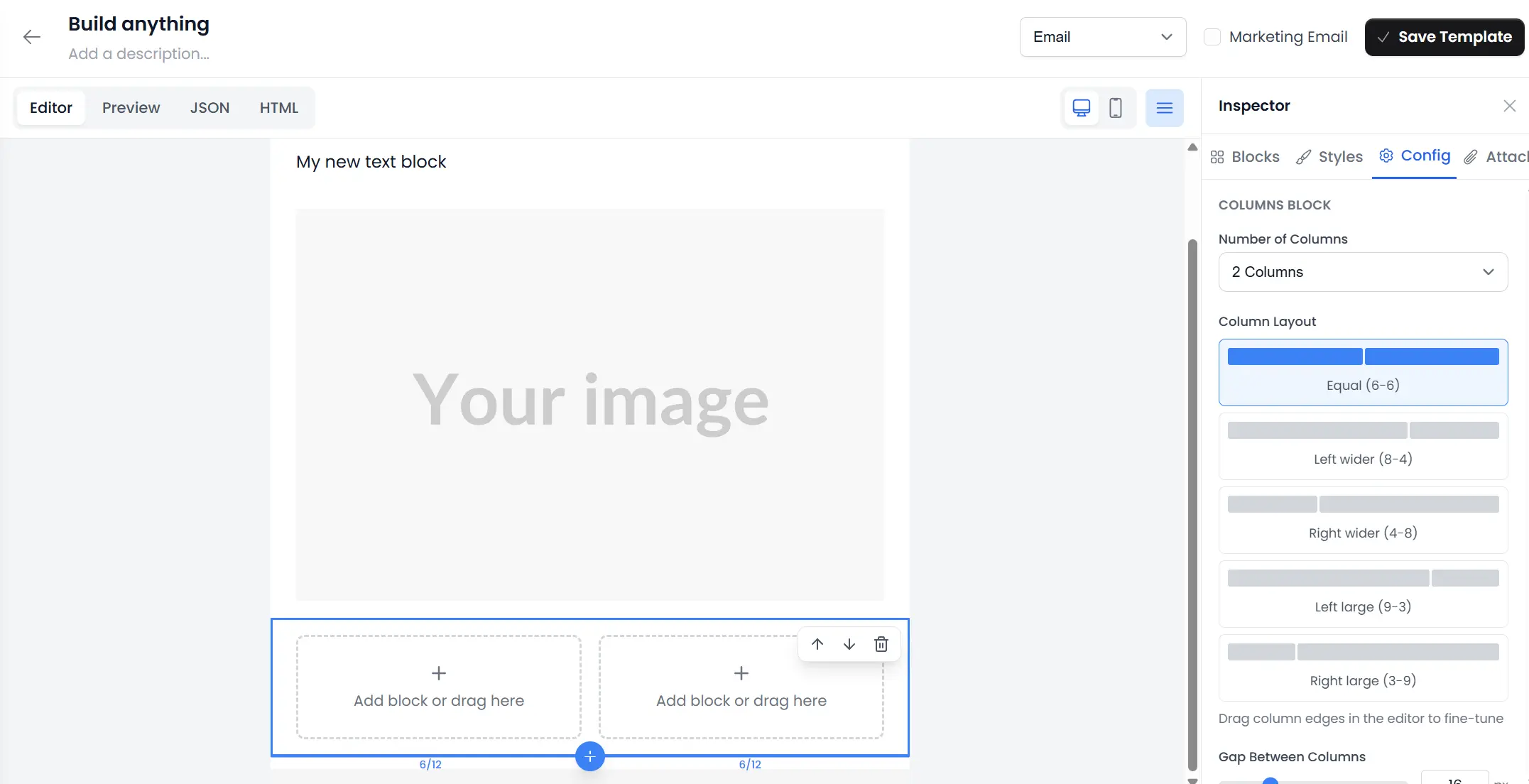
Design Professional Templates Without Code
A visual drag-and-drop builder for creating custom email templates, invoice layouts, and contract documents. The inspector drawer lets you configure every component. Templates support HTML output for emails and PDF generation for invoices and contracts, with configurable page size, orientation, margins, and header/footer options.
Bulk Email Campaigns
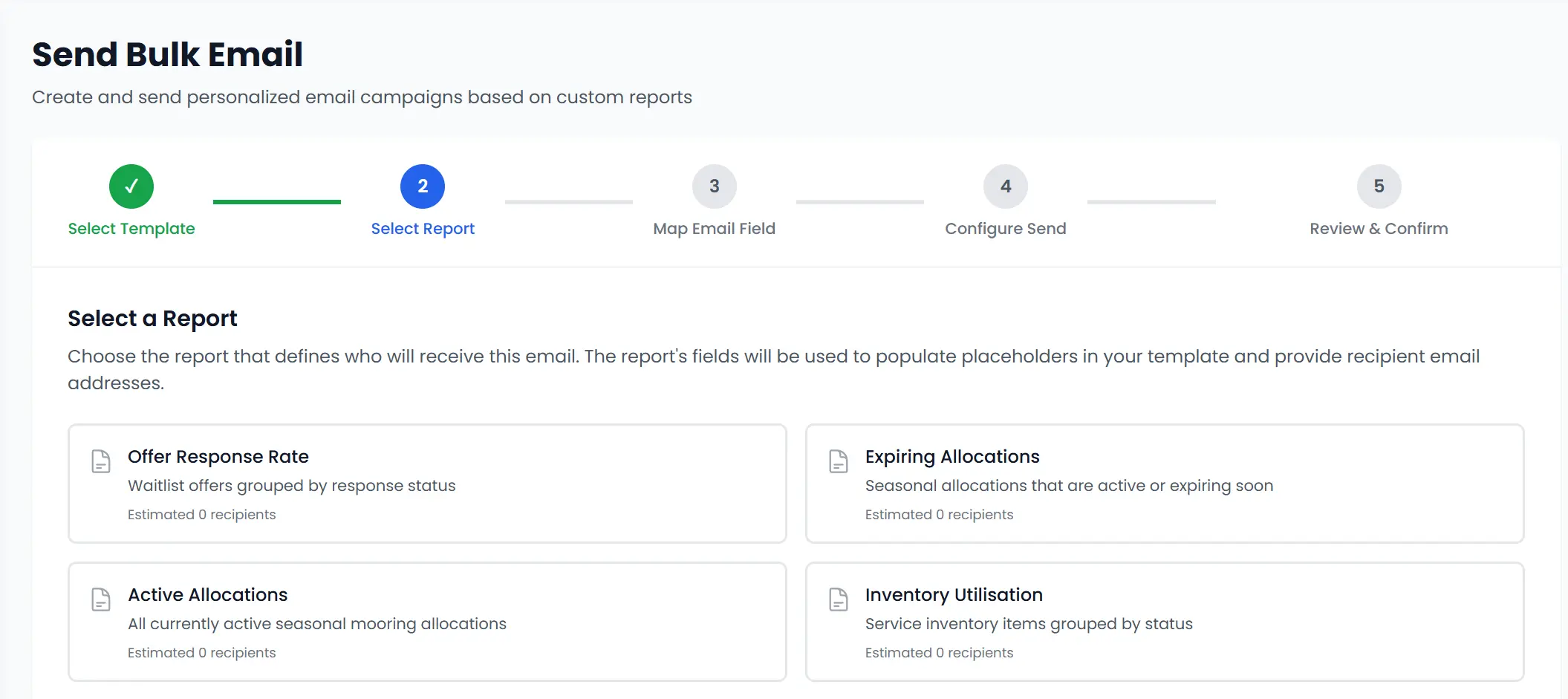
Targeted Communications at Scale
Send personalised emails to hundreds of customers using your custom templates and report data. A guided five-step wizard walks you through selecting a template, choosing your data source, mapping recipient fields, configuring the send, and reviewing before dispatch. Track delivery metrics and campaign performance from a central dashboard.
Automated Message Streams
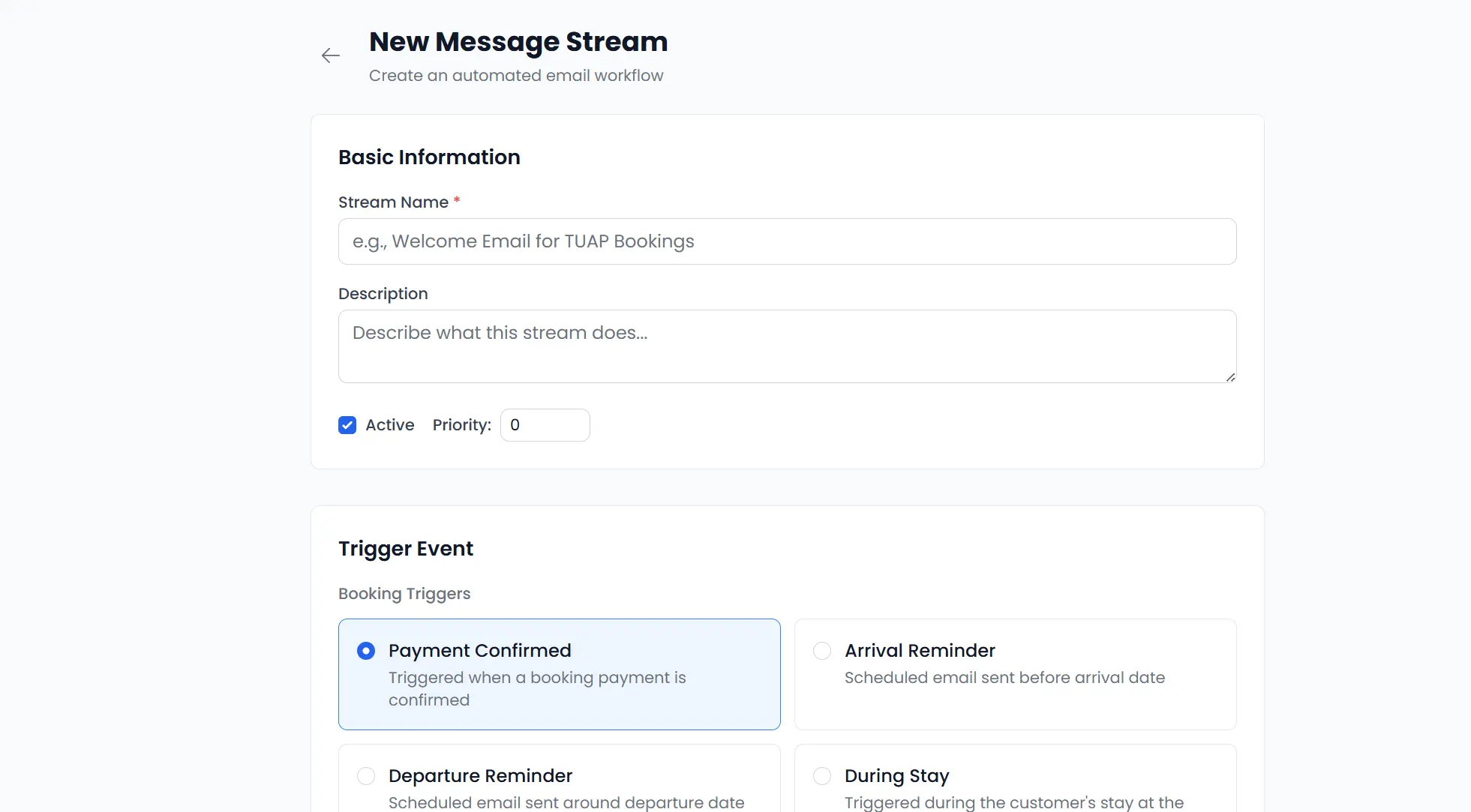
The Right Message at the Right Moment
Configure trigger-based automation workflows that send emails, create tasks, or update customer records when specific events occur. Triggers include payment confirmations, arrival reminders, departure, document expiry, waitlist status changes, and more. Add conditions and delays for precise targeting.
Task Management
Nothing Falls Through the Cracks
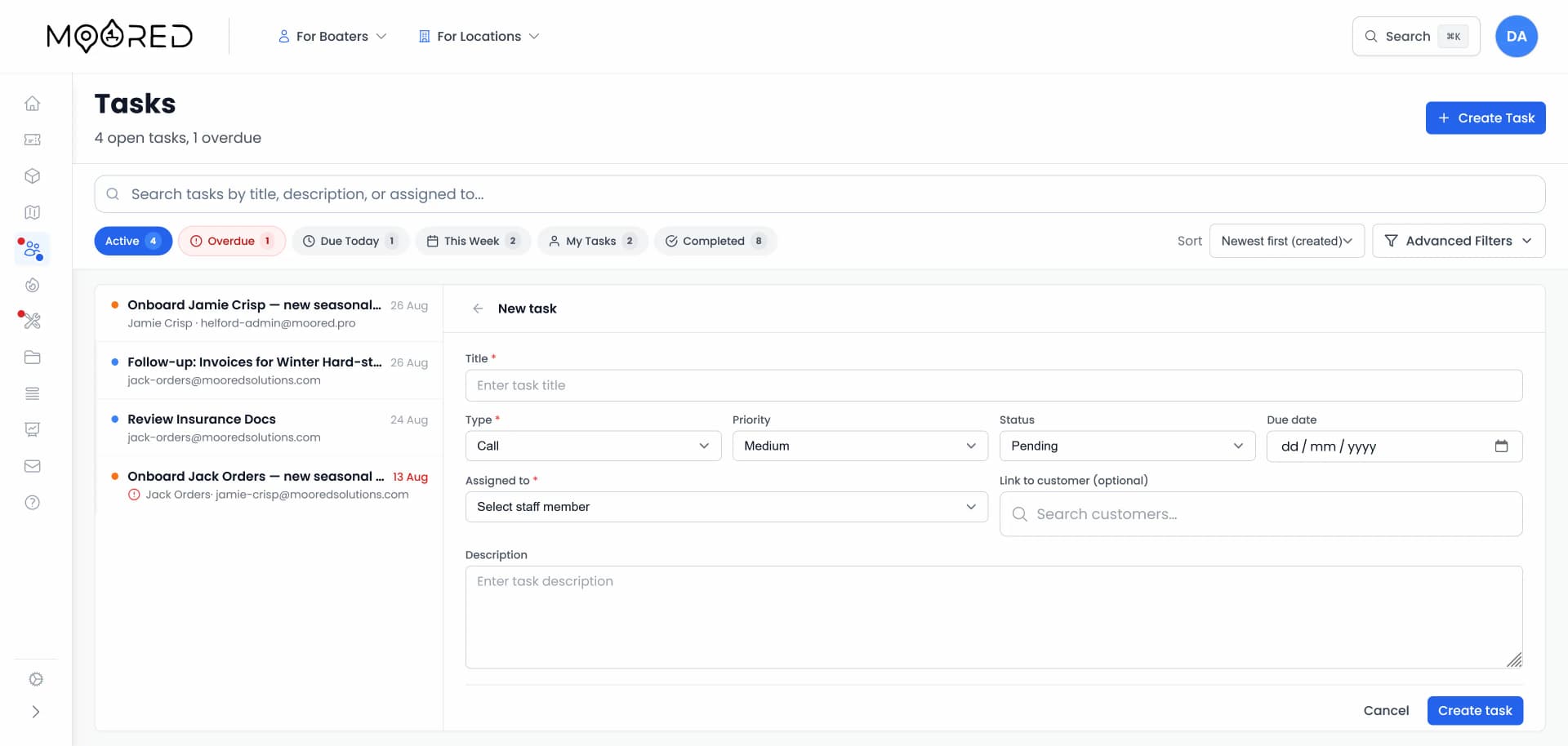
Create, assign, and track tasks linked to specific customers or opportunities. Set priorities from low to urgent, assign due dates, and use quick filters to see overdue items, tasks due today, or your personal workload. Task types include follow-up calls, emails, meetings, document reviews, and renewal reminders.
Interaction Logging
A Complete Communication History
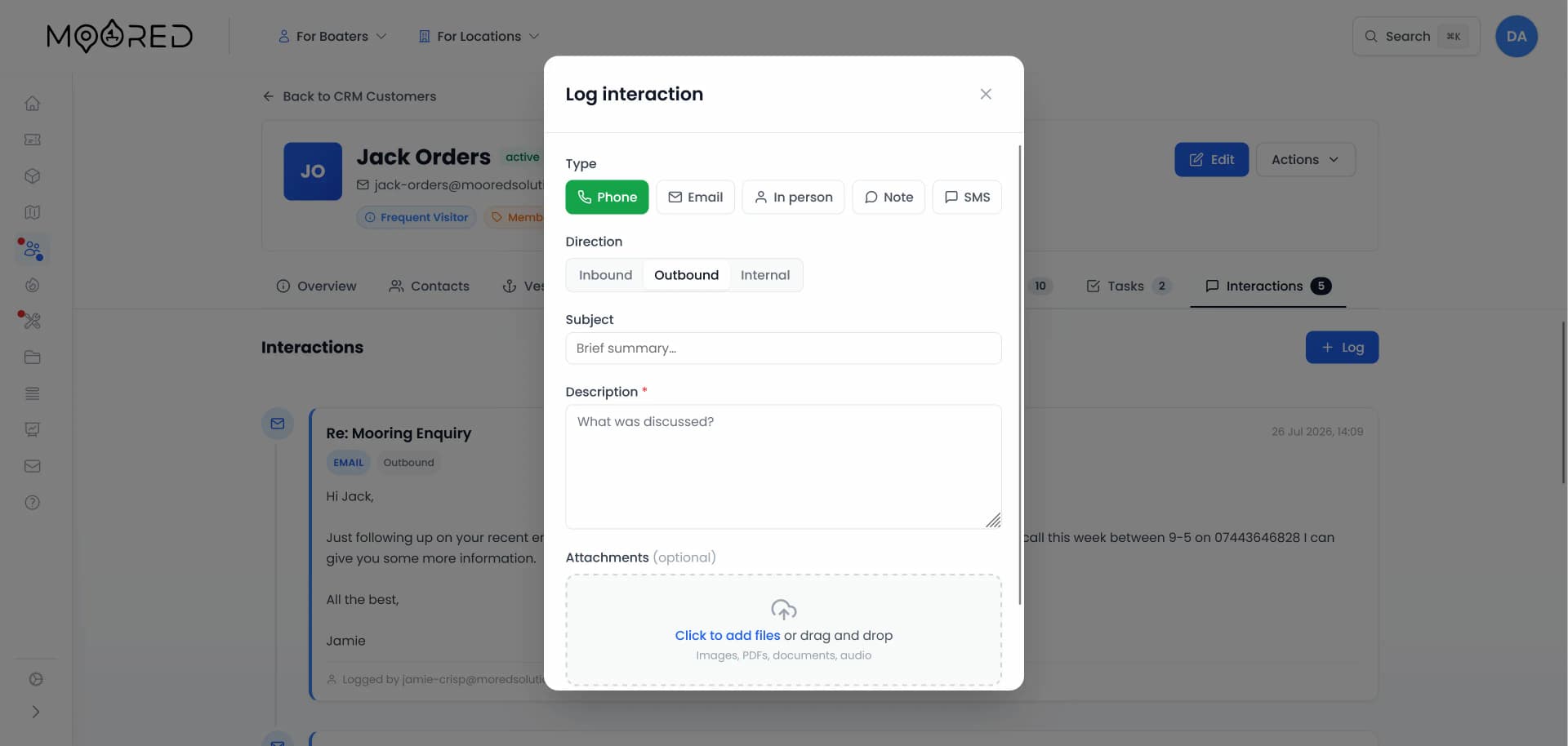
Log every customer interaction, including emails, phone calls, in-person conversations, and internal notes, against the customer record. Connect your Microsoft Outlook account to send and receive emails directly from the customer timeline, keeping all communications in one place. Each entry is timestamped, colour-coded by type, and visible to your entire team, ensuring no one asks a customer to repeat themselves.
Feedback & Surveys
Listen, Learn, Improve
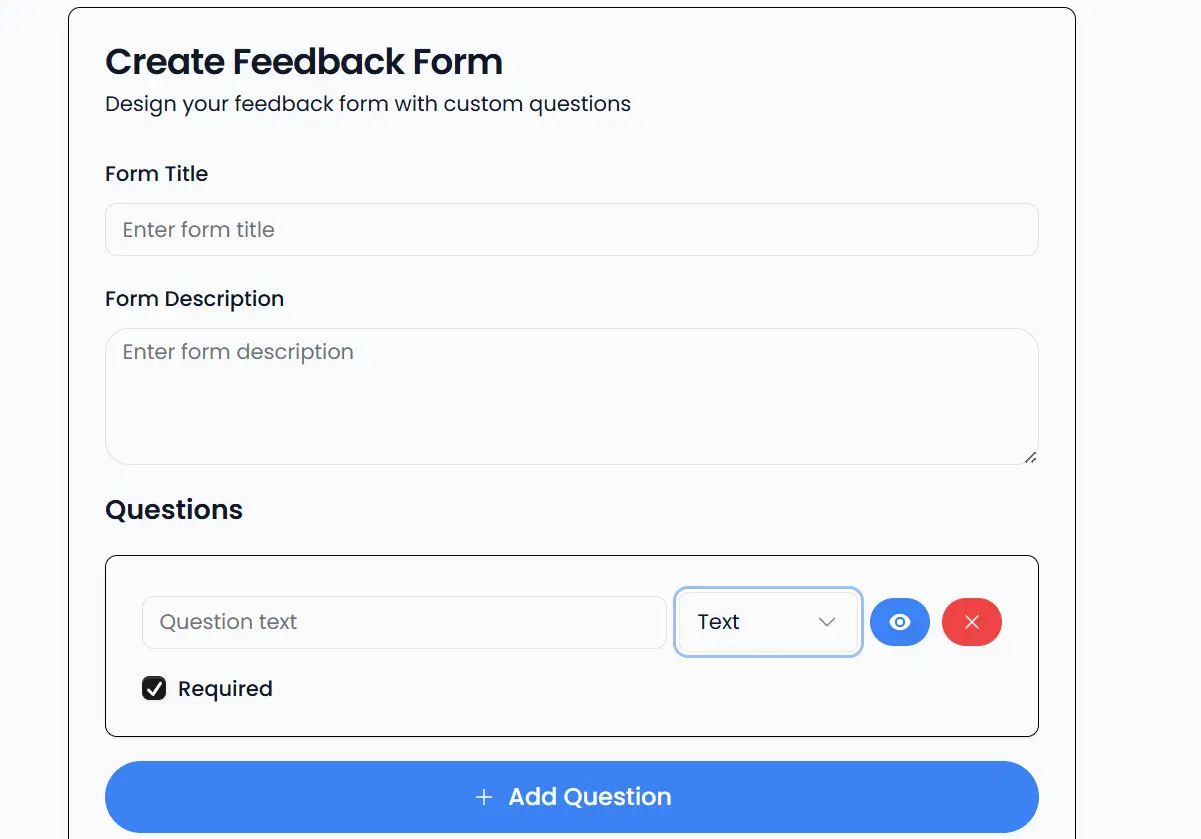
Create custom feedback forms with a no-code builder and distribute them automatically after visits. Collect ratings, text responses, and structured feedback across multiple question types. Analyse results with built-in charts, searchable response tables, and completion rate tracking.
Turn Data into Decisions
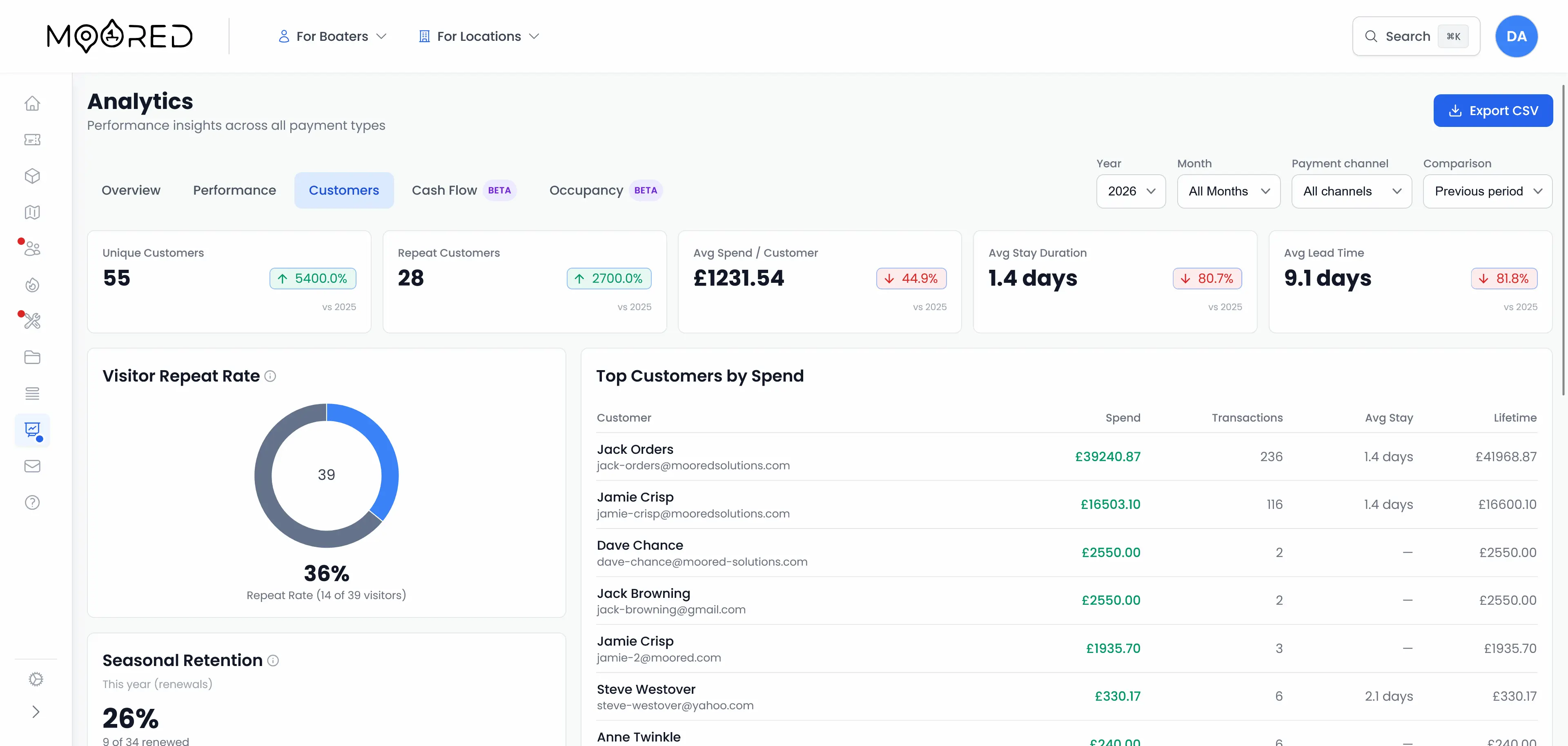
Moored gives you real-time dashboards and flexible reporting with the insights to grow revenue, improve satisfaction, and run a tighter operation
Revenue Tracking
Real-time revenue dashboards broken down by source, period, and customer segment.
Customer Insights
Visit frequency, average spend, vessel types, and geographic distribution at a glance.
Lifetime Value
Track total spend, visit count, outstanding balance, and overdue payments per customer.
Feedback Analysis
Aggregate feedback scores into actionable insights. Track satisfaction trends over time.
Communication Analytics
View all emails sent, delivery status, campaign performance, and engagement metrics.
Custom Reports
Build reports filtered by date, booking type, customer segment, or any dimension you need.
The Right Data for the Right People
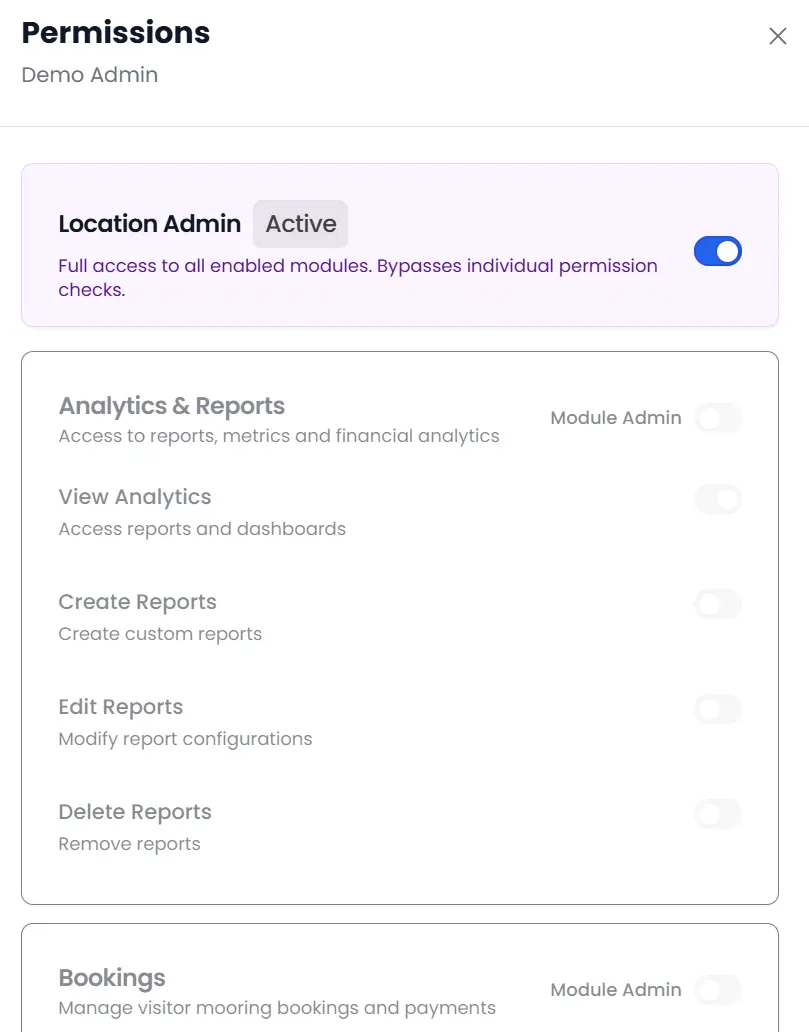
Not every team member needs access to financial data or customer contact details. Role-based permissions let you control exactly who can view, edit, and export customer information. Harbour masters see the full picture. Seasonal staff see what they need.
- Configurable privilege levels per staff member
- Customer data access restricted by role
- Financial data visible only to authorised users
- Complete audit trail of data access and changes
Connected to Everything
Moored doesn't lock your customer database away in a silo. It connects with every part of your marina management system.
Microsoft Outlook
Sync booking events with your Outlook calendar. View and manage marina events alongside your personal schedule.
Stripe Payments
Secure payment processing for online bookings, invoices, and payment requests. PCI-compliant and fully integrated.
Booking System
Customer data flows seamlessly between your booking engine, CRM, waitlist, and maintenance modules.
Frequently Asked Questions
Everything you need to know about the marina CRM software in Moored
Do I have to enter customers manually, or does the CRM build itself?
You do not have to enter customers by hand. Moored creates a customer record automatically whenever someone books, pays, or enquires, so your database builds itself from real activity. You can still add or edit customers manually whenever you need to.
Can I import my existing customer list?
Yes. Moored can import your existing customer list from a spreadsheet during setup, so your regulars and their details are in the system from day one rather than starting from a blank database.
Can I email customers without a separate tool like Mailchimp?
Yes. Moored includes a built-in email template builder and bulk campaign sending, so you can design branded emails and send them to a chosen group of customers without paying for a separate mailing tool.
Who on my team can see customer details?
You decide. Moored uses role-based permissions, so you control which staff can view, edit, or export customer and financial details. Seasonal staff can be limited to what they need while managers see the full picture.
Can I keep private internal notes on a customer?
Yes. Moored lets your team log internal notes and interactions against a customer record that only staff can see, so useful context travels with the customer without ever being shown to them.
Ready to build stronger customer relationships?
Get the full picture of every customer, automate your communications, and build templates that represent your brand.