Long-Term BerthWaitlist/Seasonal Management
From online applications to berth allocation, manage your entire waitlist digitally. Configurable eligibility, flexible payments, holiday management, and automated renewals: fair, transparent, and effortless.
Waitlists Shouldn't Be a Headache
Most marinas still manage their waitlists with spreadsheets, paper forms, and memory. Berths sit empty for weeks between tenants. Renewals get forgotten until the last moment.
Paper-Based Chaos
Spreadsheets get outdated, files go missing, and there's no single source of truth for your team.
Wasted Time
Endless phone calls from applicants asking for updates. Manual chasing of renewals every season.
Lost Revenue
Berths sit vacant between tenants because the handover process is slow and manual.
Everything You Need to Manage Demand
Purpose-built tools for every stage
Online Applications
Self-Service from Day One
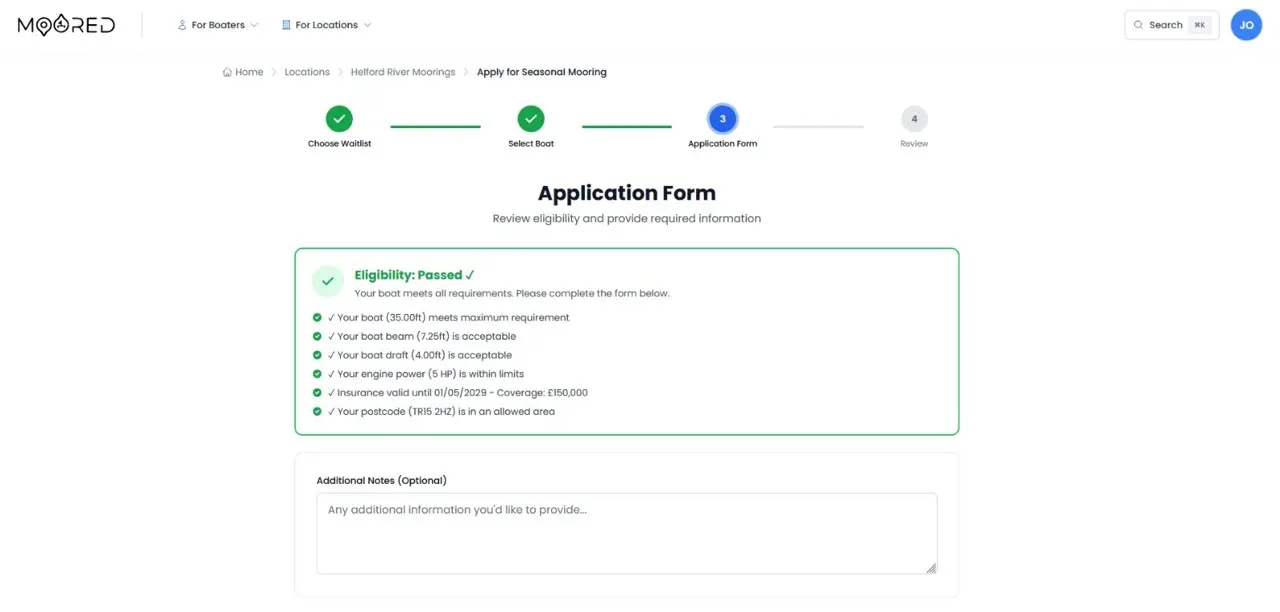
Prospective berth holders apply directly from your location page. Applications capture vessel details, contact information, and preferences automatically. Configurable eligibility restrictions validate boat dimensions, insurance, location, and required documents before submission, reducing manual screening.
Queue Management
Fair, Transparent, Auditable
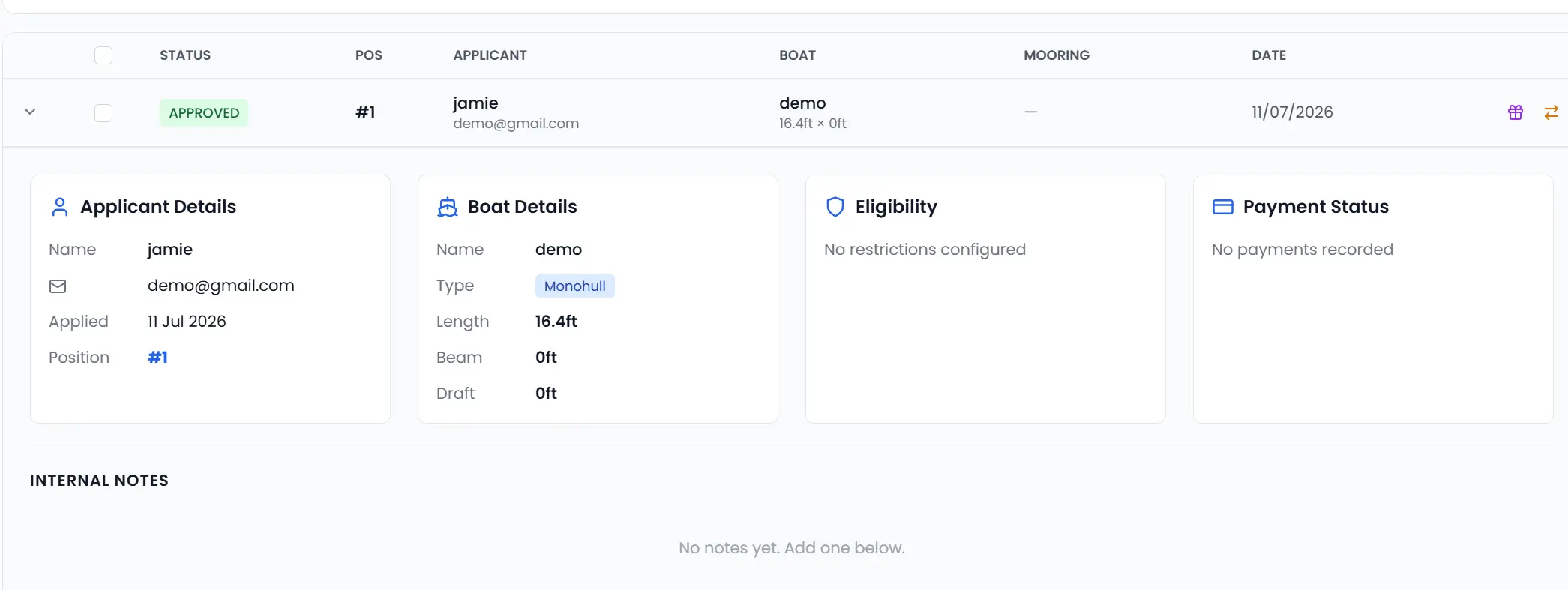
Applications are placed in a FIFO queue with automatic position tracking and a full audit trail of every position change. Staff review each application against its eligibility checks and payment status, set priority overrides, and add admin notes.
Offer & Allocation
From Waiting to Moored
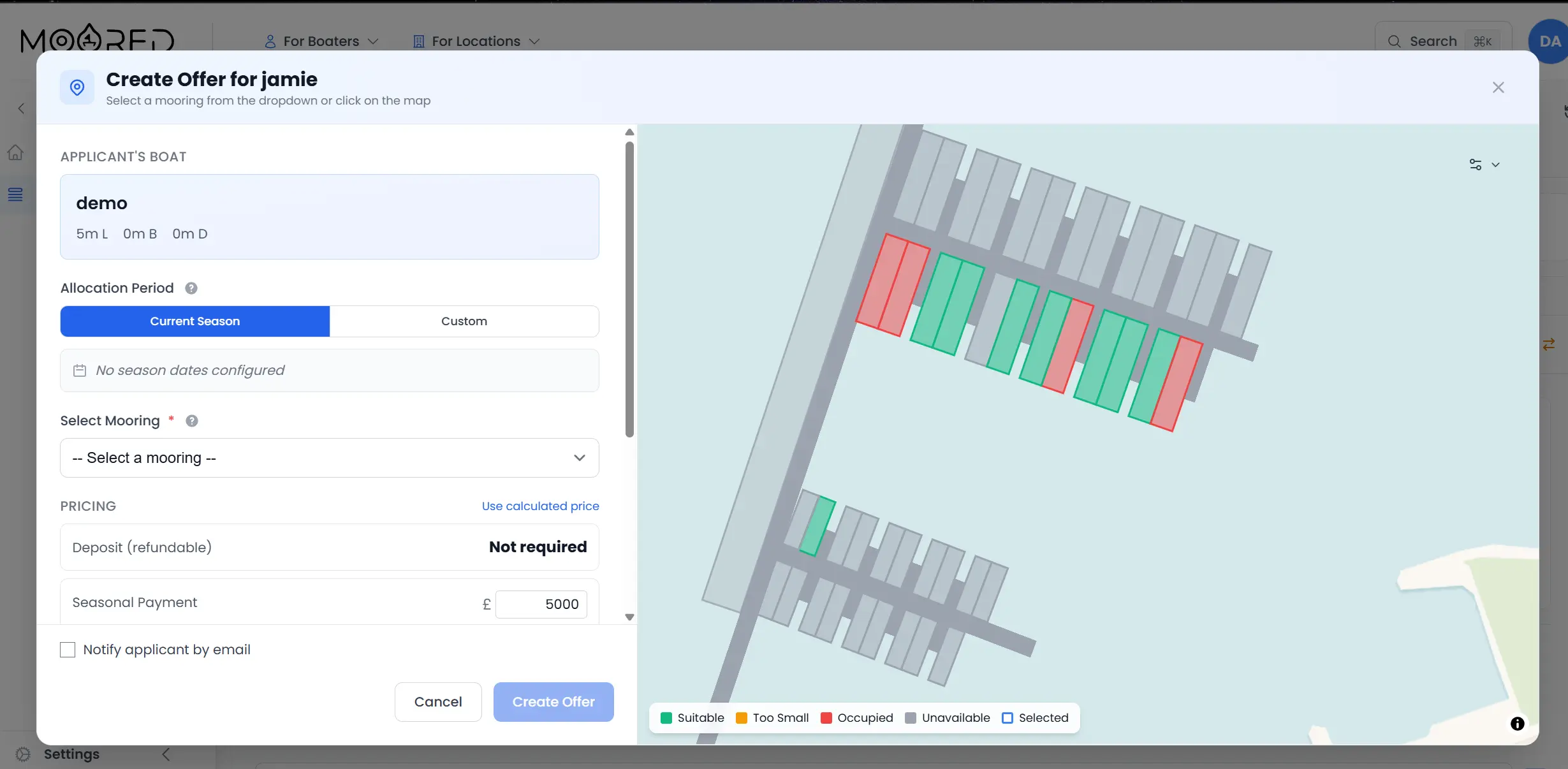
When a berth becomes available, send offers to suitable applicants based on queue position and vessel fit. Offers include mooring details, deposit and seasonal pricing, and a configurable expiry deadline. Accepted offers automatically create active allocations with linked payment schedules.
Renewals
Retain Your Best Berth Holders
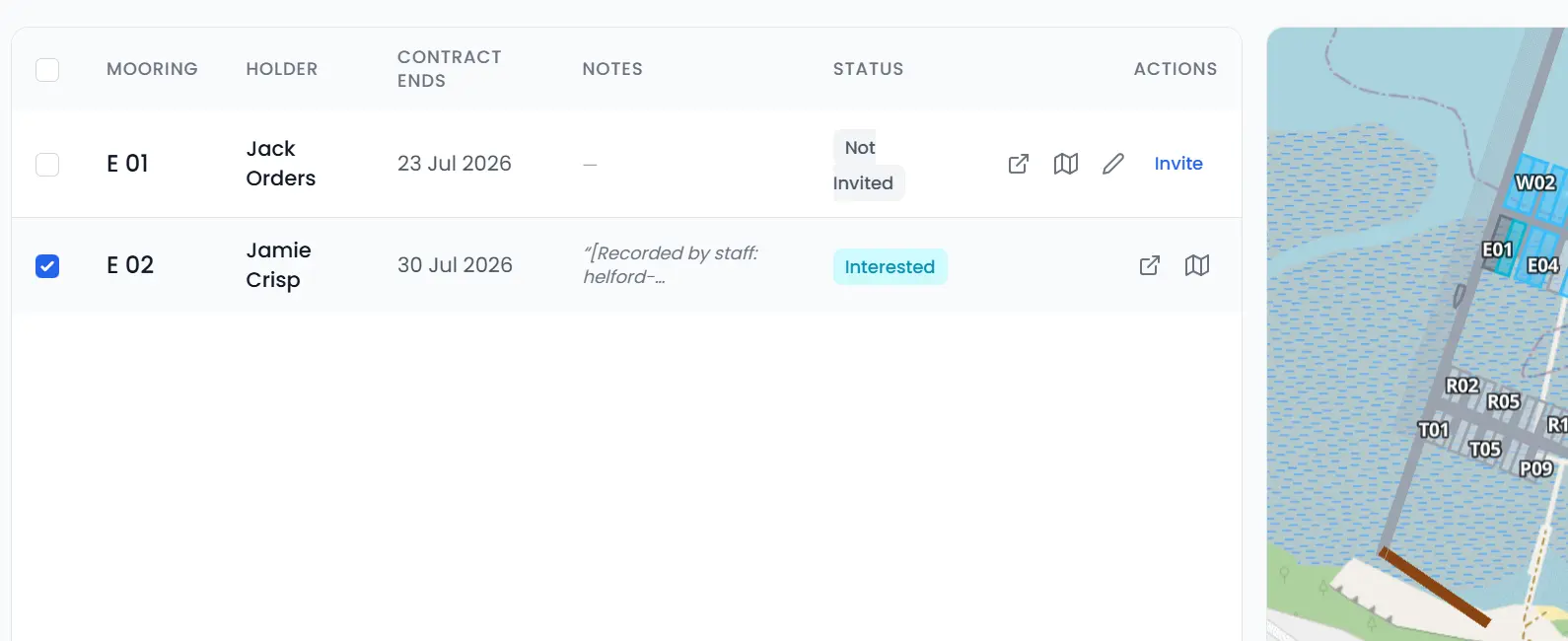
Send bulk renewal invitations before the season ends, track responses with a deadline, and process approvals or declines with a single click. Renewal statistics show interested, approved, and declined rates at a glance. New allocations are created automatically for approved renewals.
Holidays & Suspensions
Flexible Allocation Management
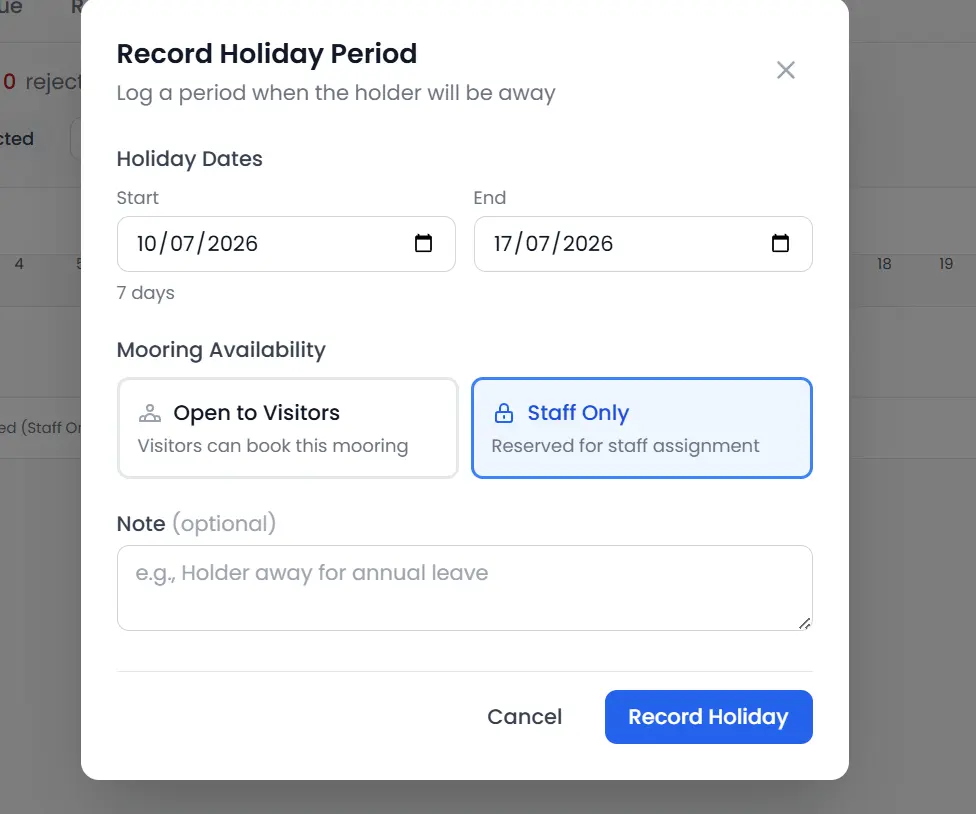
Berth holders heading away can notify you of their time away, optionally making their berth available for visitor bookings and earning additional revenue. Staff review these periods and can also add them directly. Allocations can also be suspended administratively with automatic re-activation dates.
Fully ConfigurableEligibility & Rules
Moored adapts to every waitlist with fully configurable seasonal mooring management. Configure restrictions, preferences, payment terms, and policies to match your exact requirements.
Boat Restrictions
Min/max length, beam, draft. Multihull, sailboat-only, engine power, and year-built constraints.
Insurance Requirements
Require valid insurance with minimum coverage. Validate expiry and coverage amount at application.
Location Restrictions
Restrict by postcode prefix, country, or local residency requirement.
Document Requirements
Define required document types, approval status, and expiry validation per waitlist.
Flexible Dates
Full season, any dates within season, preset blocks, or minimum stay: customers choose their preferred period.
Mooring Preferences
Applicants select preferred mooring categories or specific codes. Staff use preferences to guide allocation.
Waitlist Groups
Group related waitlists to share deposits and coordinate offers across multiple lists.
Harbour-Wide Settings
Max applications per user, offer decline policy, annual position confirmation, and availability display options.
Why Marinas Choose Moored Seasonal Mooring Software
Eliminate Spreadsheet Chaos
Replace fragile spreadsheets with a purpose-built system that never loses track of an applicant.
Nothing Falls Through the Cracks
Every application, offer, and renewal is tracked with automatic reminders, so no applicant is forgotten and no deadline slips between seasons.
Qualified Applications, Automatically
A guided enquiry flow captures each applicant's contact and vessel details, and Moored checks eligibility as they apply, flagging expired insurance, oversized boats, or missing documents before they ever join the queue.
Maximise Occupancy
Holiday mode and rapid offer workflows mean berths are never sitting empty when there is demand.
Faster Berth Turnover
The moment a berth holder leaves, you can see exactly when it frees up, so you can offer it to the next applicant without delay.
Deposits and Fees, Handled
Registration fees, deposits, and seasonal payments are collected and reconciled in one place, with automatic reminders chasing anything overdue.
Mooring Waitlist Software FAQs
Common questions about managing seasonal mooring waitlists and berth allocations with Moored
Can I add applicants to the waitlist manually?
Yes. Staff can add applicants to a Moored waitlist manually for anyone who applies by phone, email, or in person, so everyone sits in the same queue whether they applied online or not.
Can I import my existing waiting list?
Yes. Moored can bring your current waiting list across from a spreadsheet or another system during setup, so you start with your existing applicants already in position rather than from scratch.
Can I run separate waitlists for different berth types or areas?
Yes. Moored lets you run multiple waitlists and split applicants into priority groups within each one, so a swinging-mooring queue and a pontoon-berth queue stay separate and fair.
Can I allocate a mooring without an applicant going through the waitlist?
Yes. Staff can allocate a mooring to anyone manually, without them going through the waitlist at all. In Moored the waitlist simply acts as an enquiry funnel that captures interested boaters and keeps them in order, so you are always free to assign a berth directly when it suits you.
Ready to modernise your waitlist?
Replace spreadsheets with a system that works for everyone: staff, berth holders, and applicants alike.