Effortless VisitorMooring Payments
Pay on arrival with a mooring code, pre-book before you set sail, or check out as a guest in under two minutes. Smart pricing, reward nights, and instant confirmation. The modern way to manage visitor moorings.
Visitor Payments Shouldn't Be Painful
Visitors arrive expecting a simple experience. Instead they find locked harbour offices, honesty boxes, and handwritten envelopes. Revenue leaks, payments go unrecorded, and your team spends hours chasing up who owes what.
Lost Revenue
Honesty boxes and manual collection mean a significant percentage of visitor payments are never received.
Wasted Staff Time
Walking pontoons to collect fees, reconciling cash, and chasing unpaid visitors takes hours every day.
Poor Visitor Experience
Arriving to find no clear payment process, no confirmation, and no information leaves visitors frustrated and unlikely to return.
Marina Booking Software for Every Way to Book & Pay
Moored adapts to every visitor, whether they arrive unannounced or plan ahead. From pay-on-arrival to online mooring booking, it fits how people actually use your harbour.
Pay-on-Arrival
Arrive, Scan, Pay, Done
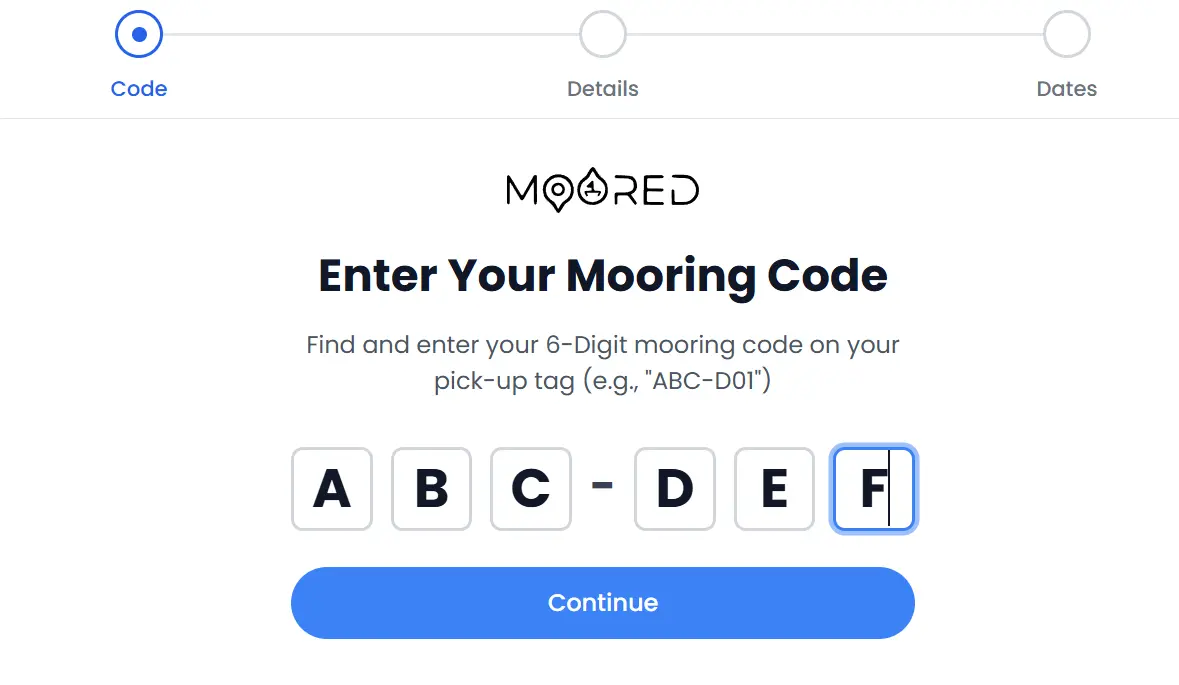
Visitors arrive at your harbour, find their mooring code displayed on the buoy or pontoon, and enter it on their phone. A streamlined four-step flow captures their boat details, dates, and payment. No app download, no registration required. Guests can complete the entire checkout in under two minutes. Signed-in users skip straight to boat selection with their saved vessels.
Pre-Book Visitor Moorings
Reserve Before You Arrive
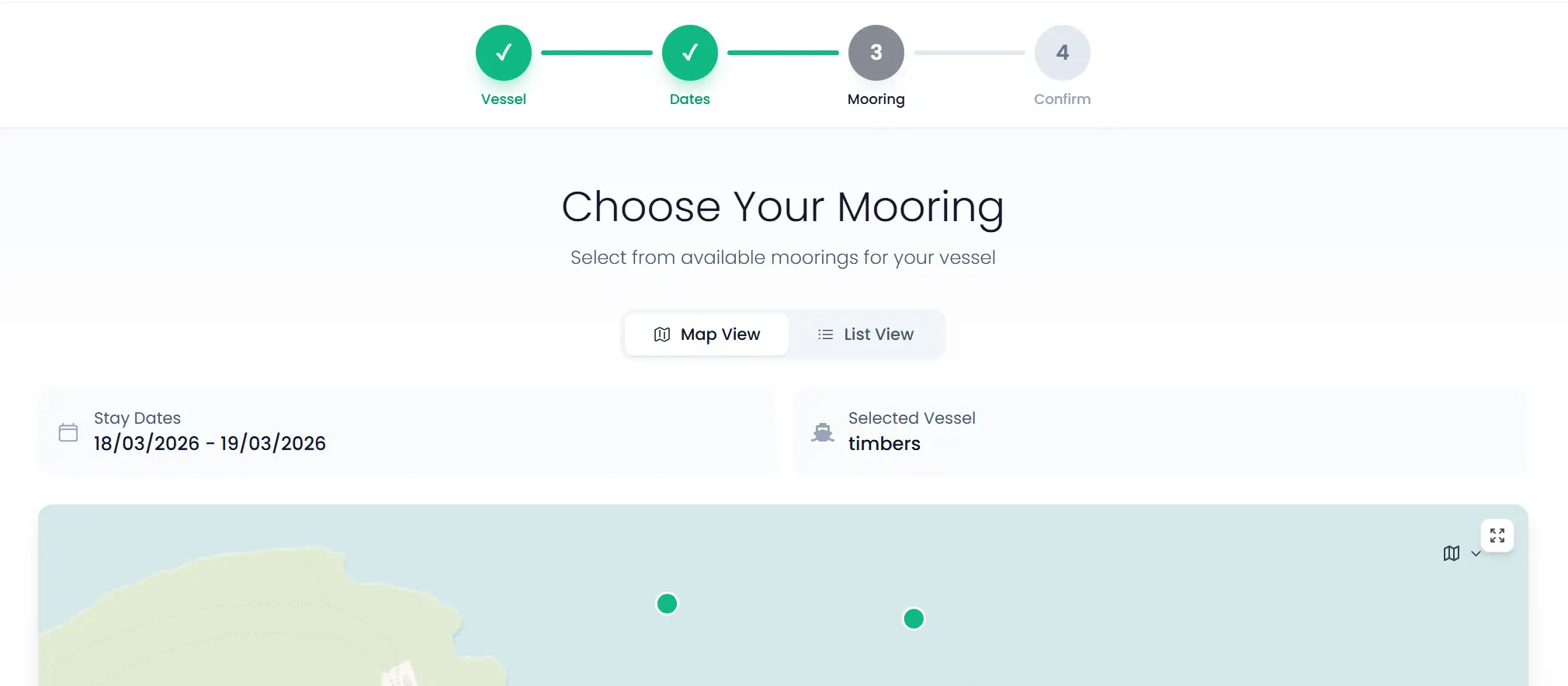
Visitors browse your location page, view available moorings on an interactive map, and book in advance with a specific mooring or category. The booking flow captures vessel details, validates suitability against berth restrictions, calculates pricing with any applicable rewards, and collects payment, all before the visitor sets foot on your pontoon.
Guest Payments
No Account? No Problem
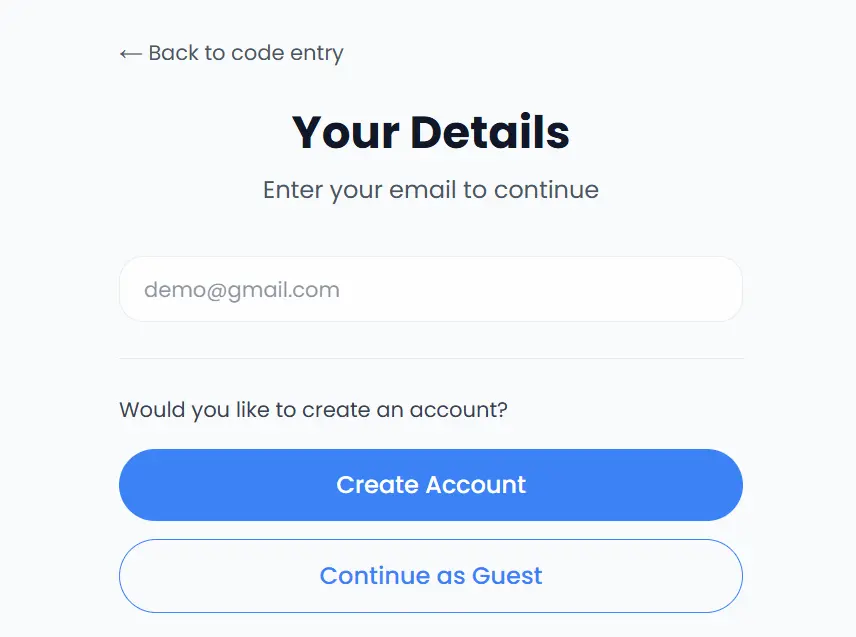
Not every visitor wants to create an account. Guest checkout captures just an email address and boat details, creates a lightweight temporary session, and processes payment via Stripe. The guest receives a confirmation email with booking details and a link to create a full account later if they choose. Their booking data is preserved either way.
Booking Extensions
Stay a Little Longer
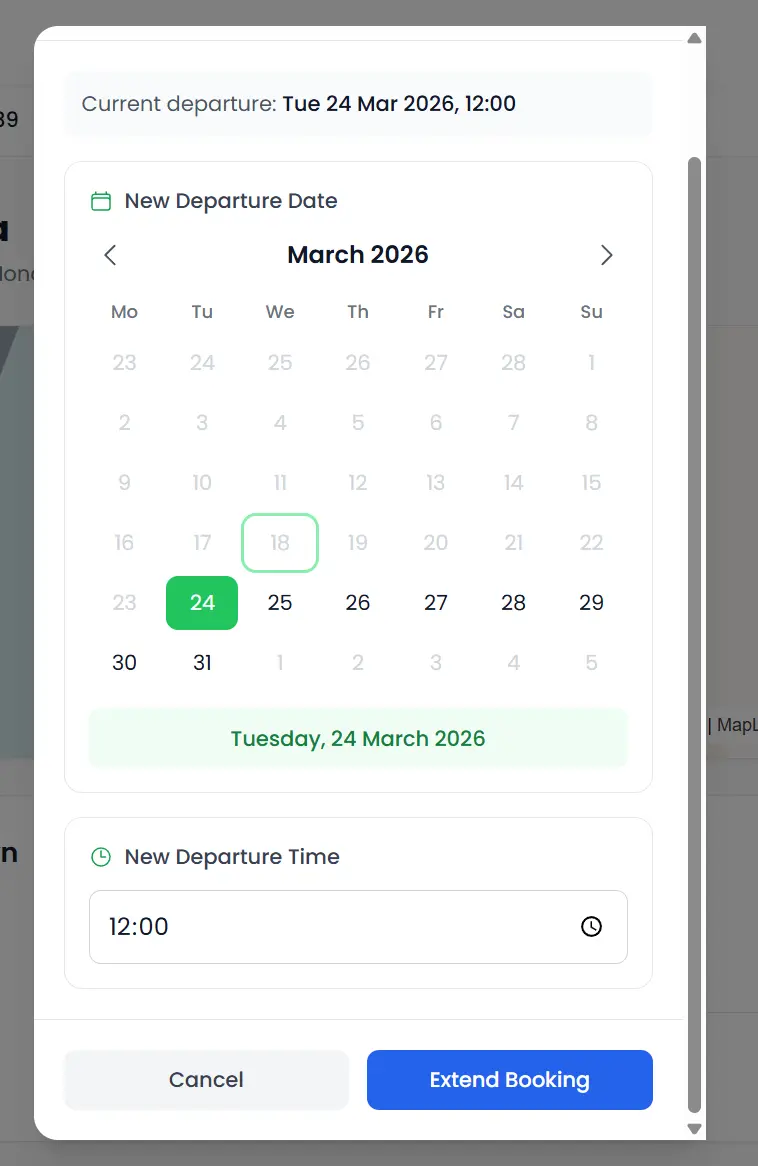
Visitors who decide to extend their stay can do so directly from their dashboard without contacting harbour staff. The system calculates the additional cost based on the original pricing tier, checks mooring availability for the extended dates, and collects the delta payment. Staff can also create extensions manually for walk-up requests or offline payments.
Rewards & Loyalty
Earn Free Nights, Keep Them Coming Back
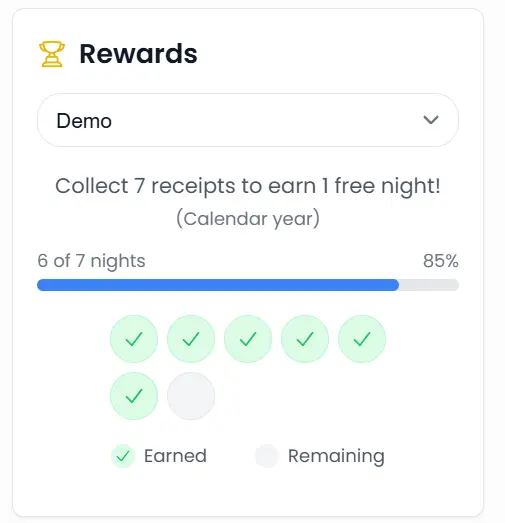
Returning visitors accumulate reward nights based on their booking history. When checking out, eligible nights are automatically deducted from the total, turning a five-night stay into three paid nights, for example. Configurable reward schemes per location let you set the earning rate, and visitors can track their balance from their dashboard.
Mooring Taken? We'll Find Another
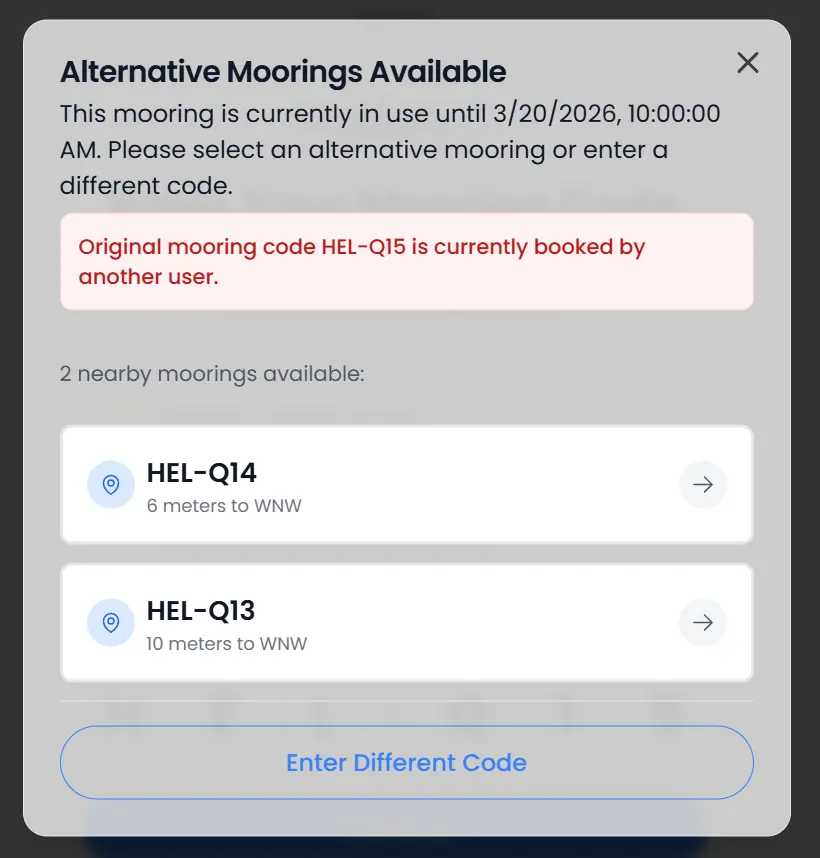
When a visitor enters a mooring code that is already occupied, the system does not just show an error. It automatically finds nearby available moorings that suit their boat, ranked by distance, and lets them switch with a single tap.
Pay-on-Arrival inFive Simple Steps
This is an example of the pay-on-arrival flow, from entering a mooring code to a confirmed booking and email. Pre-booking and guest checkout follow a similar path.
Visitor Finds Their Mooring Code
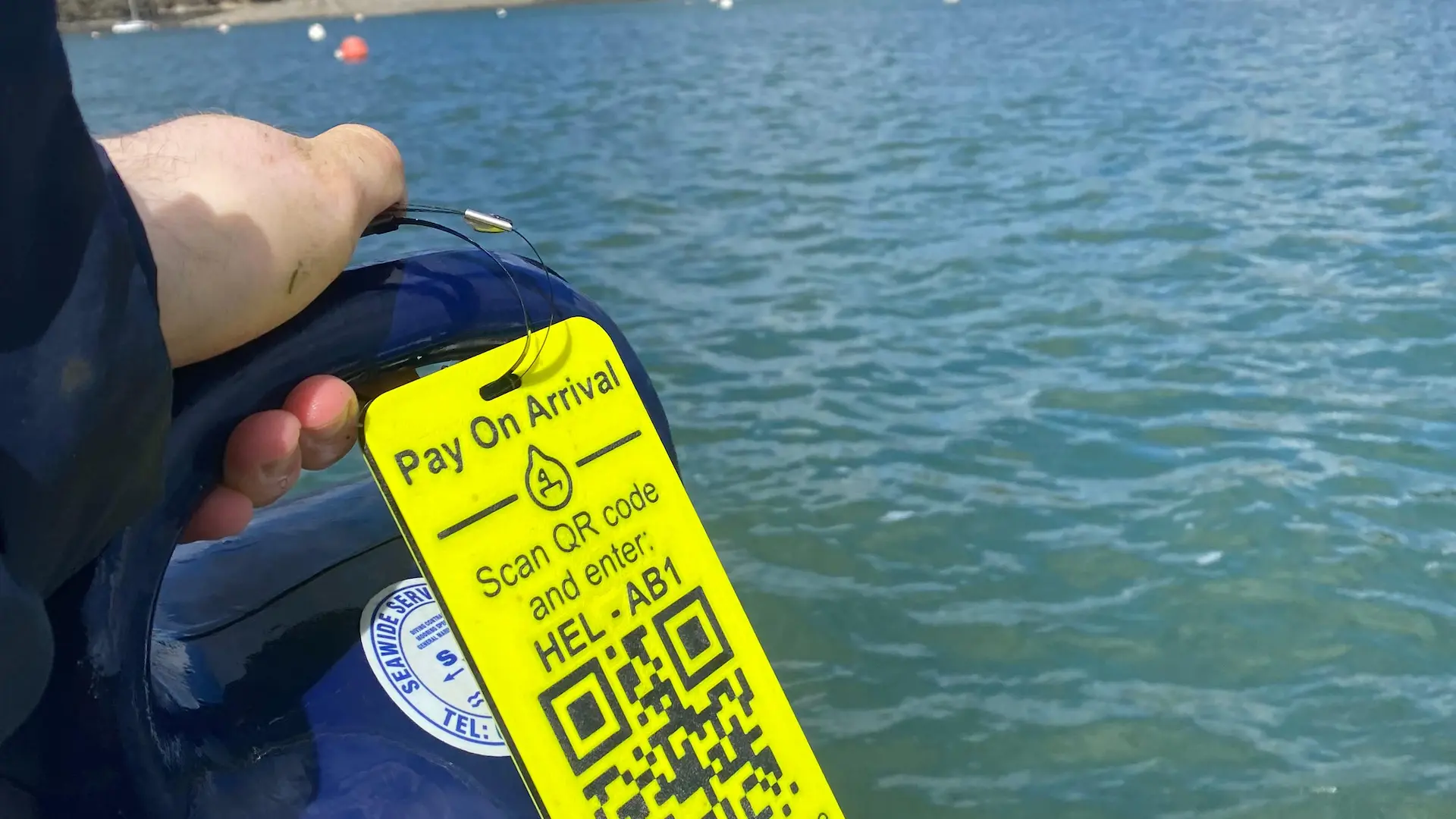
Each mooring displays a unique six-character code on the buoy or pontoon marker. Visitors can also find codes via the pre-booking map on your location page. The code identifies the exact mooring and its harbour.
Enter Code & Verify Account
The visitor enters the mooring code on the pay-on-arrival page. The system validates the code, checks availability, and presents account options: sign in with an existing account, or continue as a guest with just an email address.
Select Boat & Confirm Suitability
Signed-in users pick from their saved boats. Guests enter vessel dimensions inline. The system checks length, beam, draft, and multihull status against the mooring's restrictions and shows a clear pass or fail before proceeding.
Choose Dates & Review Pricing
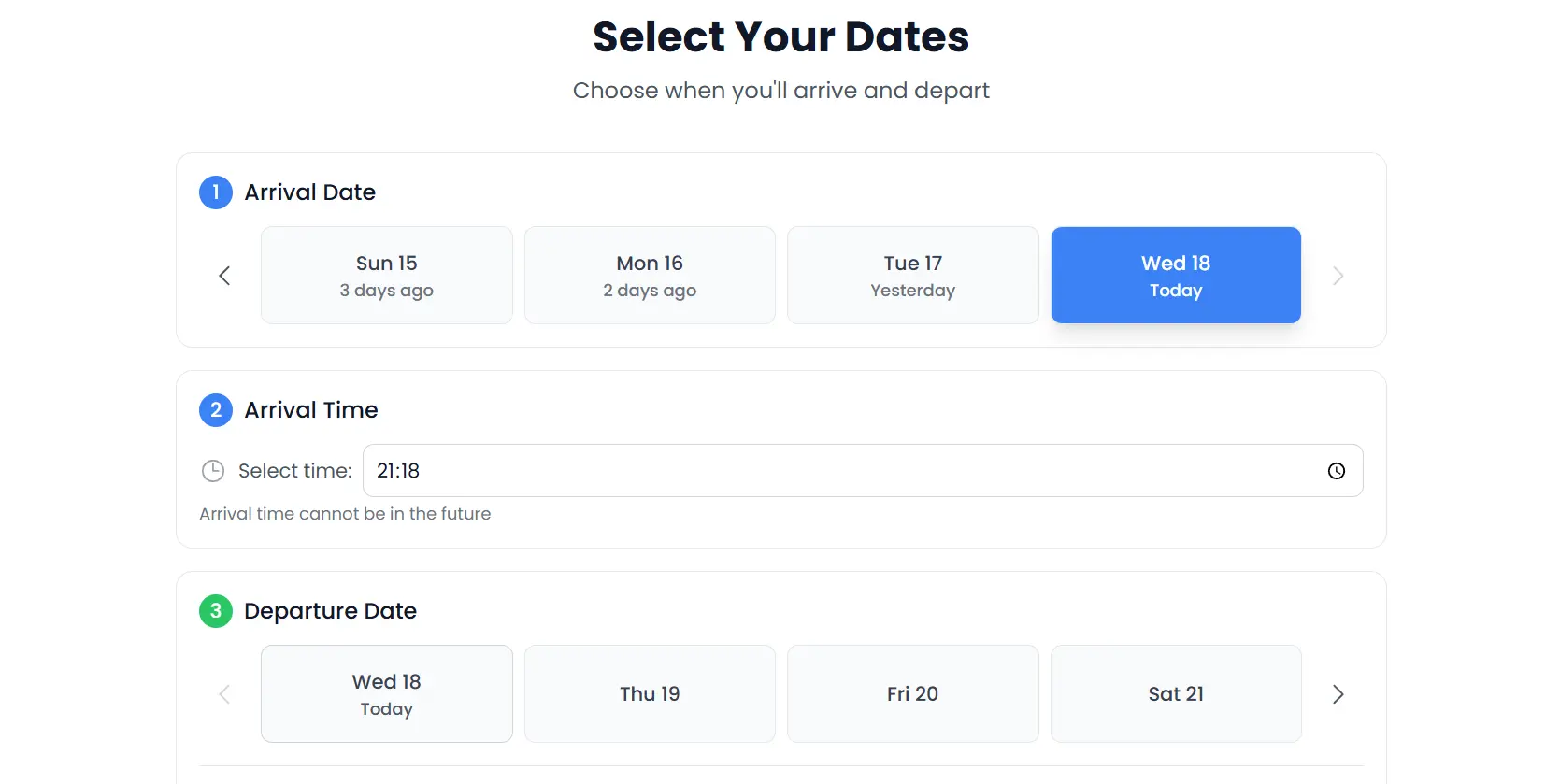
A date picker shows arrival and departure with time selection. The pricing engine calculates the total in real time, applying duration tiers, LOA rates, and any available reward nights. The full breakdown is shown before payment.
Pay & Receive Confirmation
Secure payment via Stripe collects the amount. The booking is confirmed instantly with an email containing the booking reference, mooring details, dates, and pricing summary. The booking appears in both the visitor and staff dashboards.
Complete Visibility for Your Team
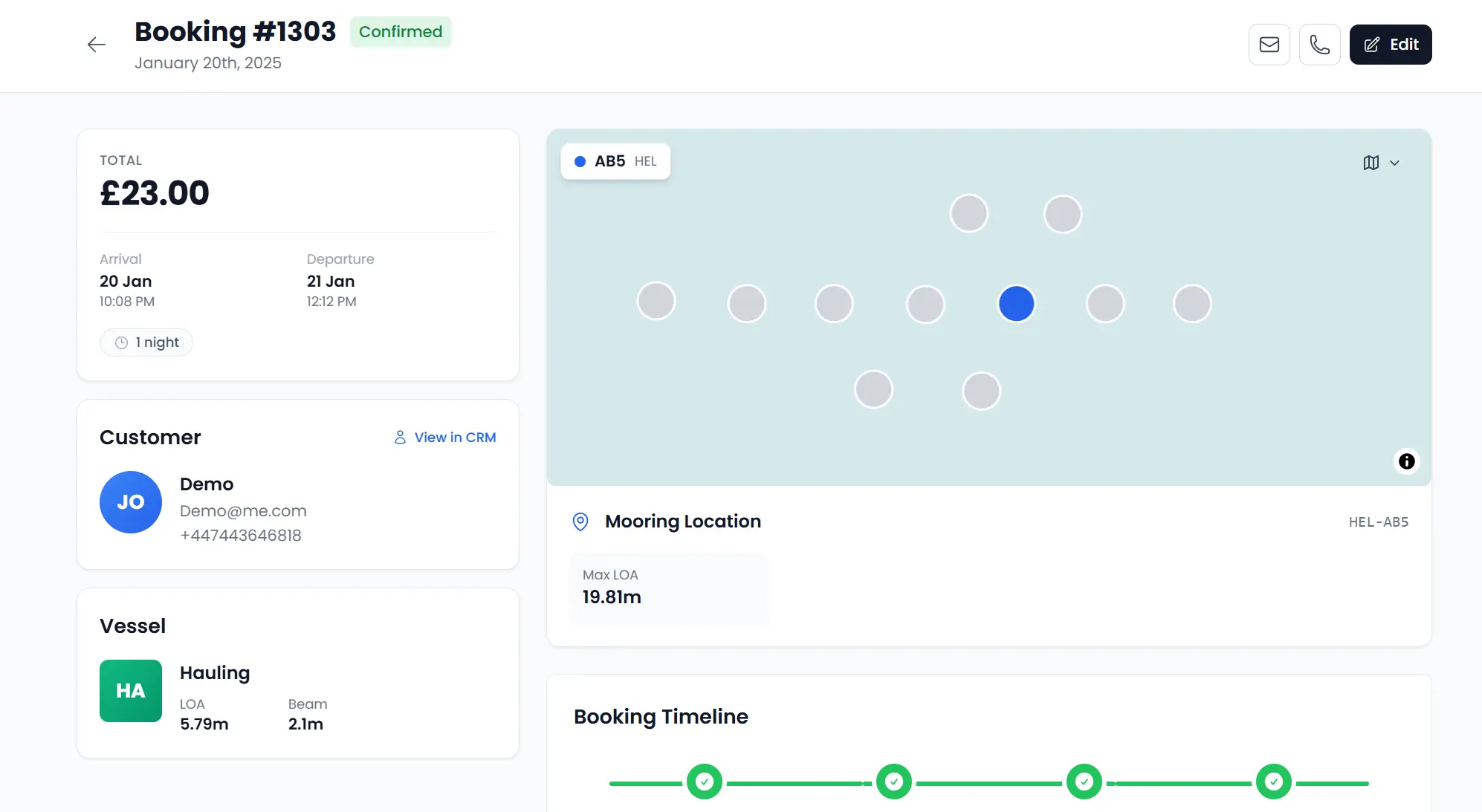
Moored gives your harbour team a central dashboard to manage all visitor bookings. See who is arriving today, who is currently on the water, and what revenue has been collected, with tools to create manual bookings and process offline payments.
Booking Dashboard
View all visitor bookings in one place. Filter by date, status, mooring, or guest name. See today's arrivals, current occupants, and upcoming departures at a glance.
Manual Booking Creation
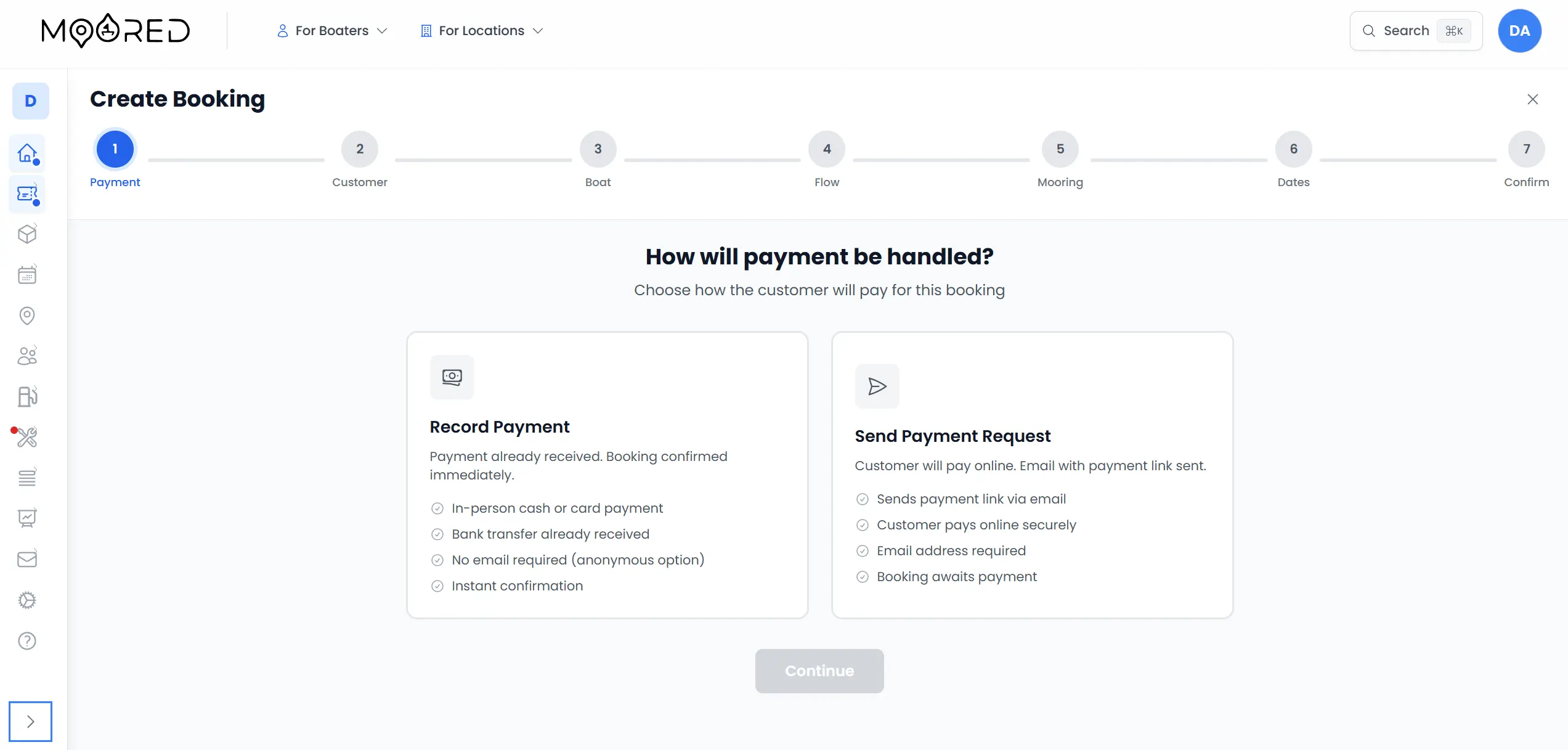
Create bookings on behalf of walk-up visitors or phone enquiries. Select mooring, enter boat details, set dates, and choose online or offline payment.
Booking Modifications
Edit arrival and departure dates, update boat details, change mooring assignments, and adjust pricing. All modifications logged with staff attribution.
Payment Verification
Mark offline payments as received, verify bank transfers, and reconcile daily takings. Batch verification for busy check-in periods.
Self-Service for Every Visitor
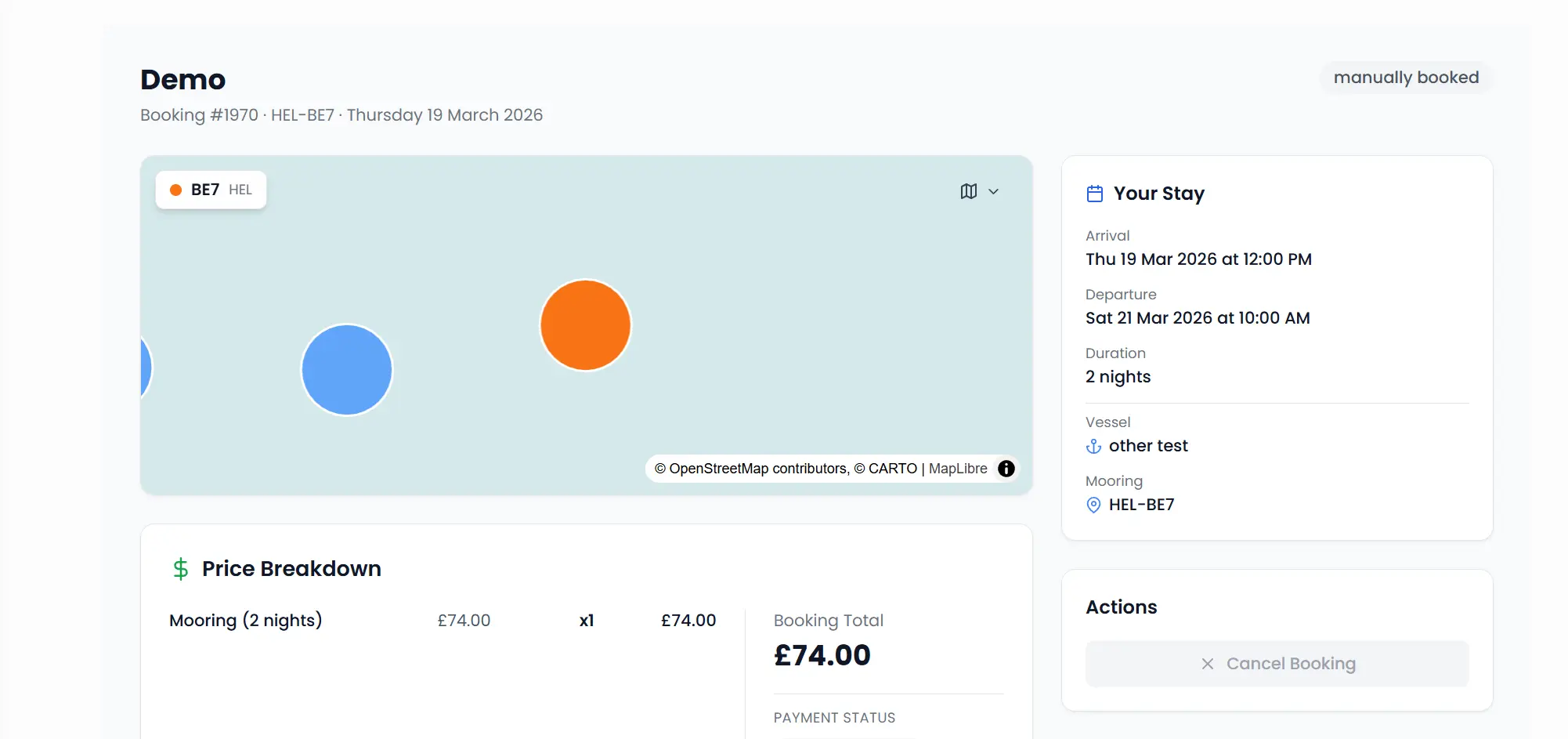
Moored gives visitors who create an account their own dashboard, a single place to view current and past bookings, extend stays, manage boats, track reward nights, and download payment receipts. No phone calls to the harbour office required.
Connected to Your Whole Platform
Visitor bookings feed data into your map, CRM, messaging, and reporting, not an isolated module, but the heart of your visitor operations
Interactive Map
Moorings display real-time availability on the map. Visitors see which moorings are free, occupied, or reserved before they arrive.
CRM & Feedback
Every booking creates or updates a customer record. Post-visit feedback surveys are triggered automatically after departure.
Message Streams
Automated emails triggered by booking events: confirmation, arrival reminder, departure, extension, and feedback request.
Staff Notifications
Staff receive real-time notifications for new bookings, payment confirmations, and extension requests via email and dashboard alerts.
Frequently Asked Questions
Common questions about visitor bookings, berth reservation, and pay-on-arrival payments with Moored
What are the pros and cons of a marina booking or boat reservation system?
The main advantages of a marina booking system like Moored are 24/7 online bookings, automatic payment collection, instant confirmations, and far less manual admin, which cuts no-shows and missed revenue. The main consideration is setup and staff adoption, so Moored stays flexible: you can start with a few features and keep taking phone and walk-in bookings alongside online ones.
How does modern marina booking software compare to manual booking?
Manual booking relies on spreadsheets, phone calls, paper diaries, and honesty boxes, which are slow and leak revenue. Moored replaces that with real-time online bookings, automated payments and confirmations, and one dashboard, so your team spends less time on admin and captures more visitor income. You do not have to switch on online booking or pay-on-arrival, though. You can keep collecting payments manually and simply record them in Moored, so everything still lives in one clean, shared database with a clear record and a UI that lets several staff work at the same time.
Can Moored automate bookings and payments to reduce manual admin for operations teams?
Yes. Moored automates online bookings, payment processing, invoicing, confirmations, and reminders, which reduces the manual process overhead for mid-market marina operations teams. Staff handle exceptions instead of data entry, freeing up front-desk time.
How quickly can a marina get up and running with Moored?
Moored is web-based with nothing to install, so most marinas can be set up and taking bookings quickly, and distributed or remote teams can work from any device. You can start free and add features as you grow, which keeps time to value short.
What support do you get if something goes wrong during a booking or payment?
Moored provides responsive support by WhatsApp and email, with a direct line to our team for critical incidents. Because bookings and payments are business-critical, we prioritise fast help so your front desk is never left stuck.
Is Moored suitable for front-desk and mid-market marina operations?
Yes. Moored is built for front-desk operations at mid-market marinas and harbours, handling check-ins, walk-ups, phone bookings, and online payments from one screen. Your team serves visitors quickly without juggling separate tools or spreadsheets.